Built on Claude Sonnet 4

Your AI ops team
that never sleeps.

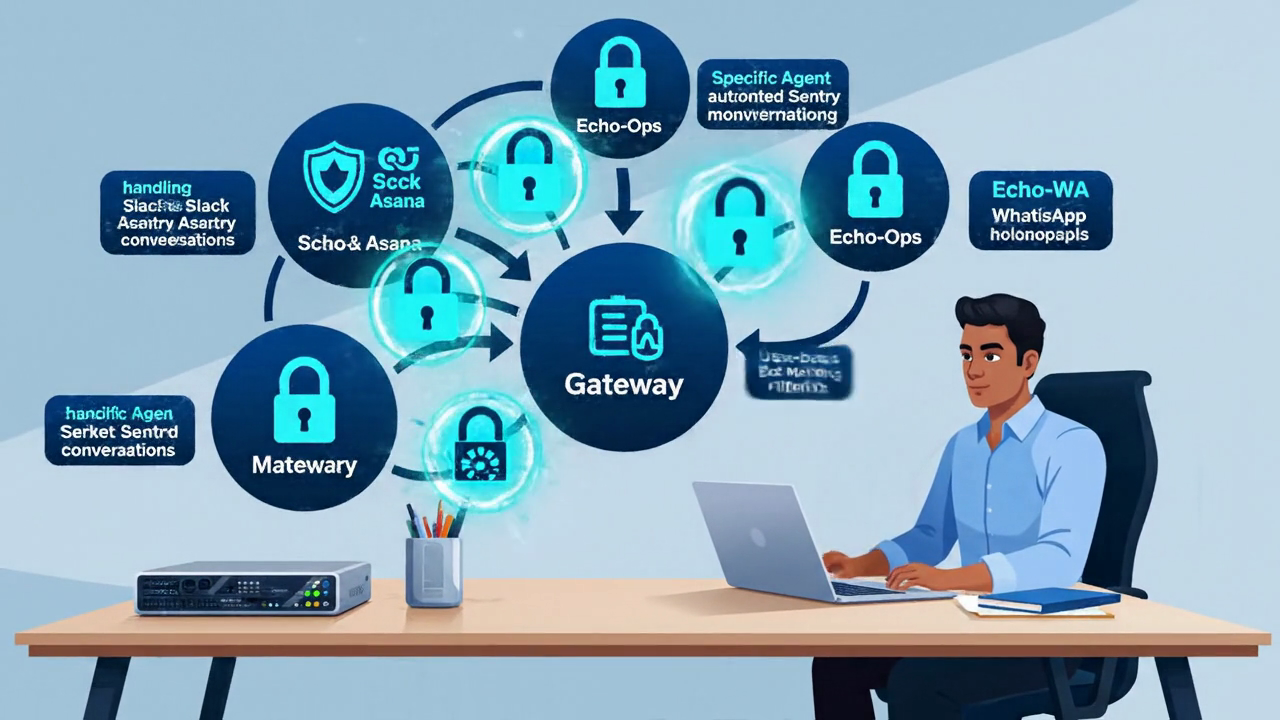
Three AI agents run 24/7 on a Mac Mini under a desk. They triage 200+ production errors daily, classify bugs, write fix MRs, and send weekly newsletters — while you sleep.
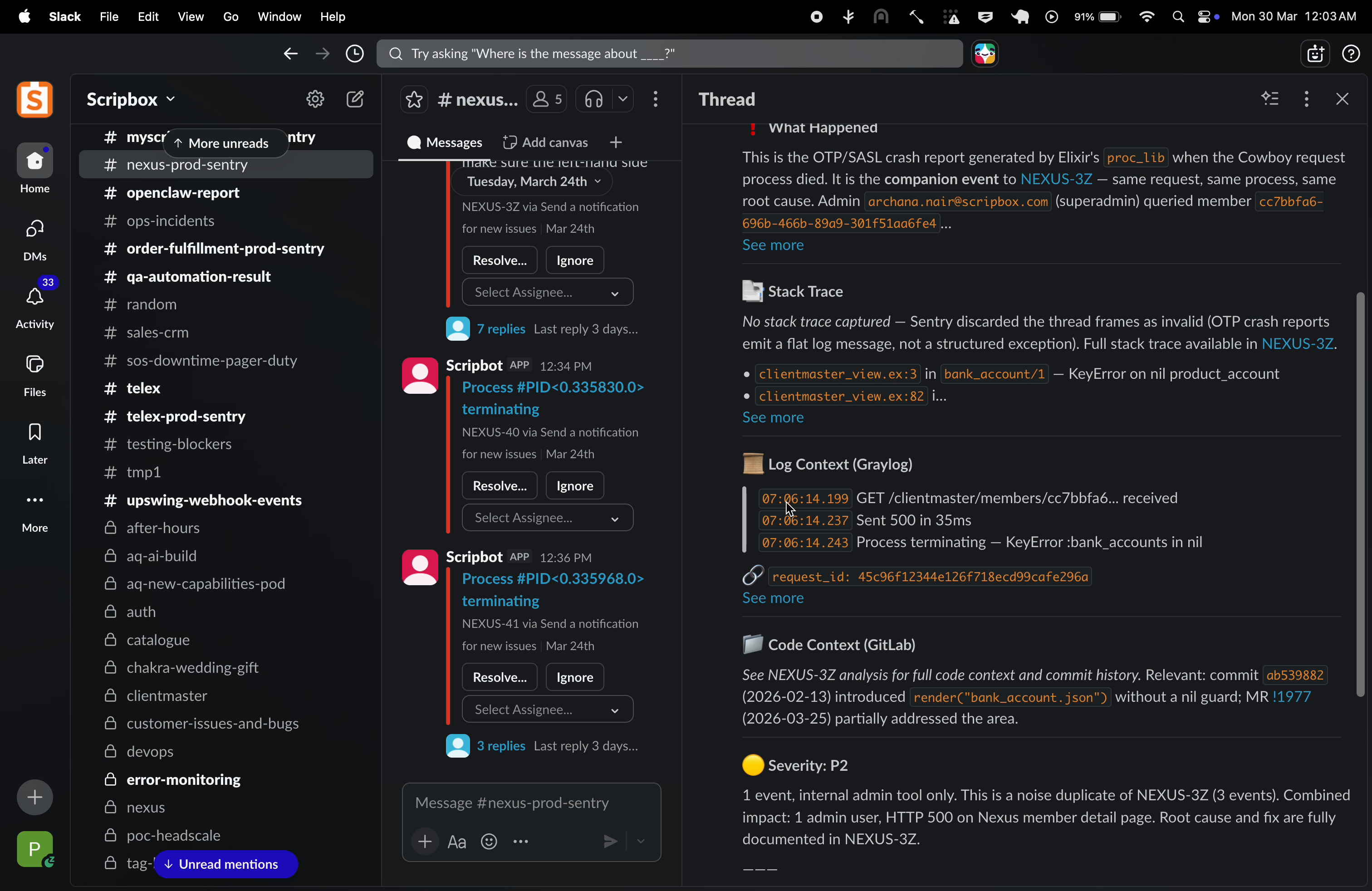
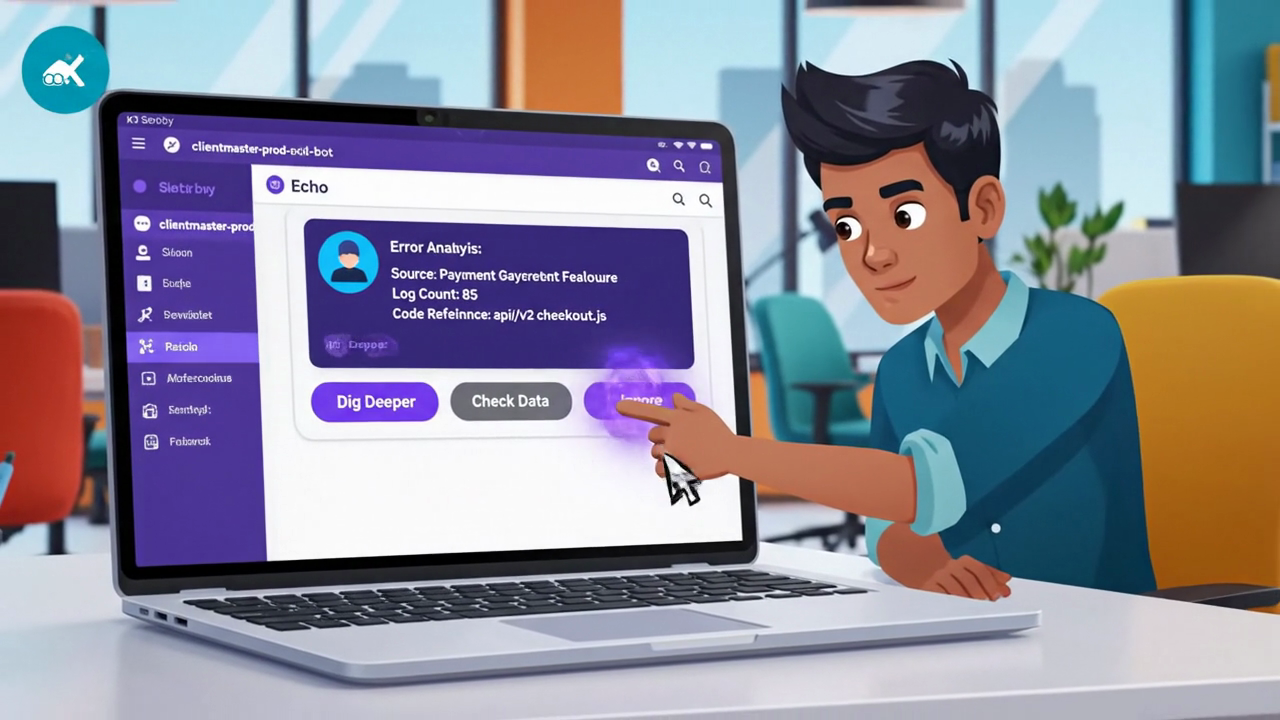
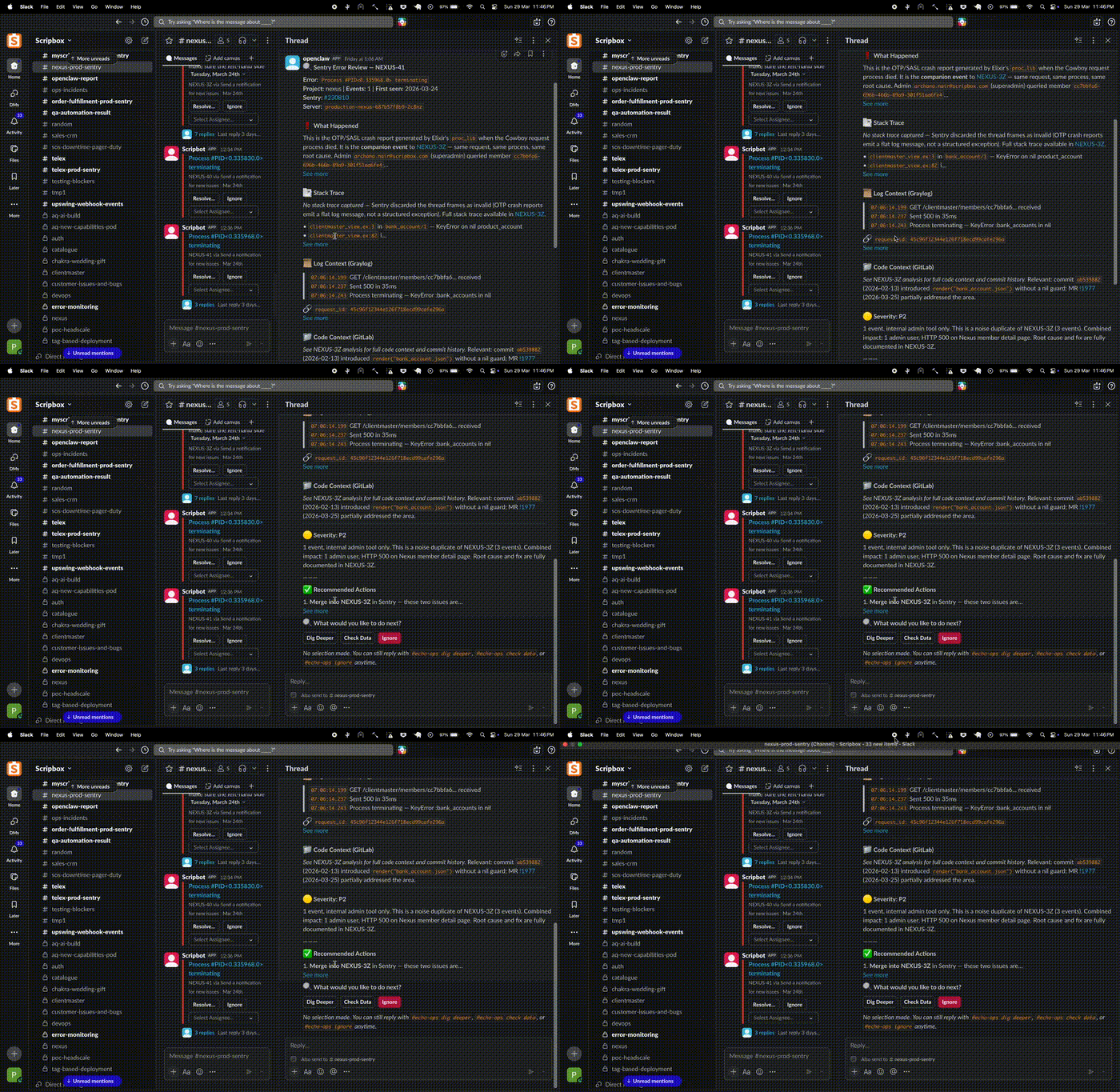
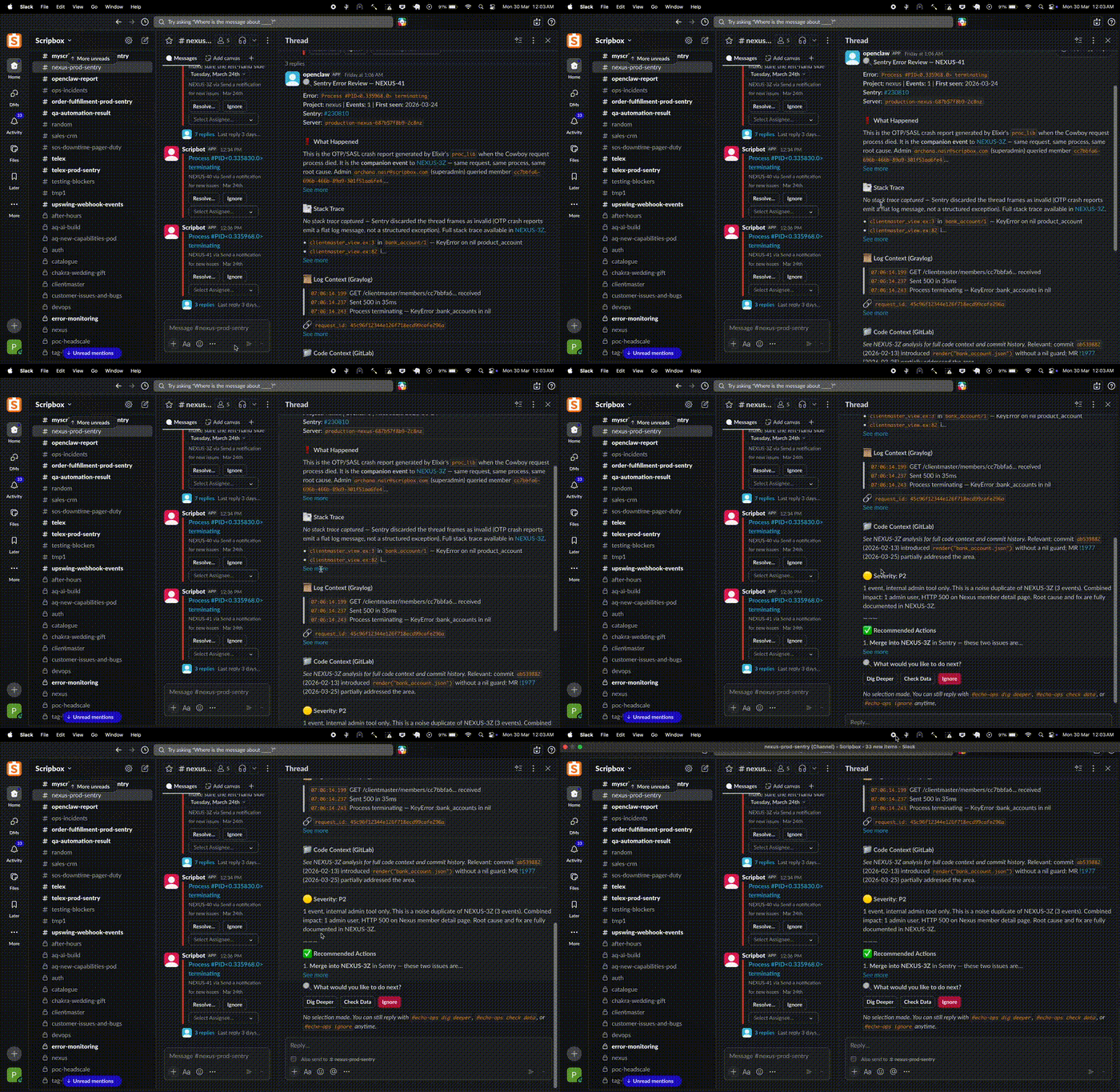
Echo analyzing a production Sentry alert in Slack

The Problem

200+ errors a day.
One tired engineer.

Scripbox engineering faces production errors across 7 microservices daily. Each needs Sentry for traces, Graylog for logs, GitLab for code, Asana for context. That's 15–30 minutes per error.

200+daily errors
7microservices
15-30mper triage
0fun had

The Solution

Three agents. One brain.
Zero babysitting.

A multi-agent AI system running on a Mac Mini. No cloud. No fuss.

🫡

Conversations

Echo Main

Answers @Echo mentions in Asana and Slack. Investigates across services, replies with structured analysis.

🔧

Bug Hunter

Echo-Ops

Monitors 7 Sentry channels every 15 min. Analyzes errors with Sentry + Graylog + GitLab. Never sleeps.

📱

Newsletter

Echo-WA

Sends weekly WhatsApp newsletters with live Nifty, Sensex, and MF NAV data. Monday mornings, handled.

Feature 01

Interactive Sentry Triage

When a production error hits, Echo investigates. It pulls the Sentry stack trace, searches Graylog for correlated logs, checks GitLab blame, and posts the analysis in your Slack thread with action buttons.

  • Dig Deeper — Extended Graylog trace, GitLab blame, related MRs
  • Check Data — Metabase queries to verify affected records
  • Ignore — Mark as triaged, save to knowledge base
Interactive Sentry triage buttons
Slack screen recording — Echo triage in action

Screen recording: Echo analyzing a NEXUS Sentry alert in real time

Feature 01.5

Auto-Fix Merge Requests

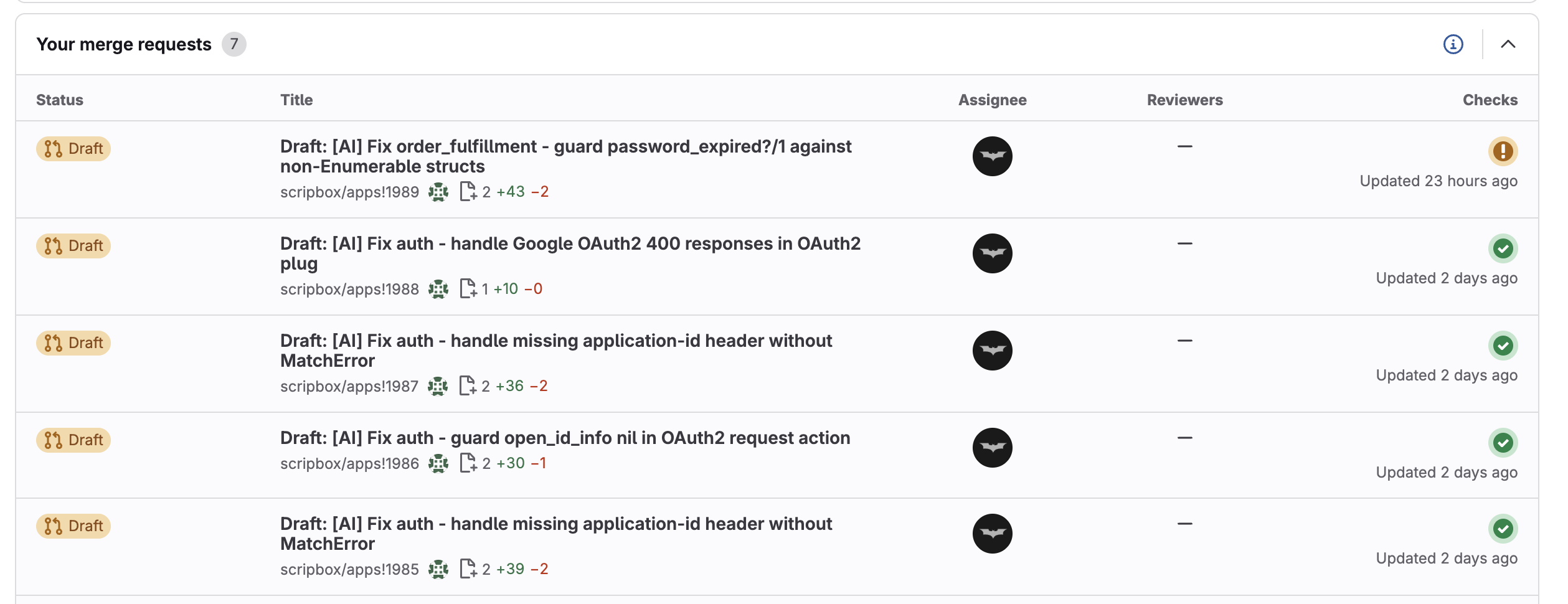
Echo doesn't just report — it writes the code. Creates a GitLab branch, writes regression tests first, pushes the fix MR, and verifies the pipeline passes. All prefixed with [AI].

  • Test-first development — regression test before fix
  • Pipeline verification — green checks required
  • Draft MRs — human review still required
5 AI-generated draft MRs with passing pipelines

Feature 02

Automated Asana Bug Triage

Every bug ticket that lands in Asana gets classified, analyzed, and tagged before you open it. Data issue or code bug? Echo figures it out.

ai-triaged data-issue code-issue
Asana board with AI-triaged tickets

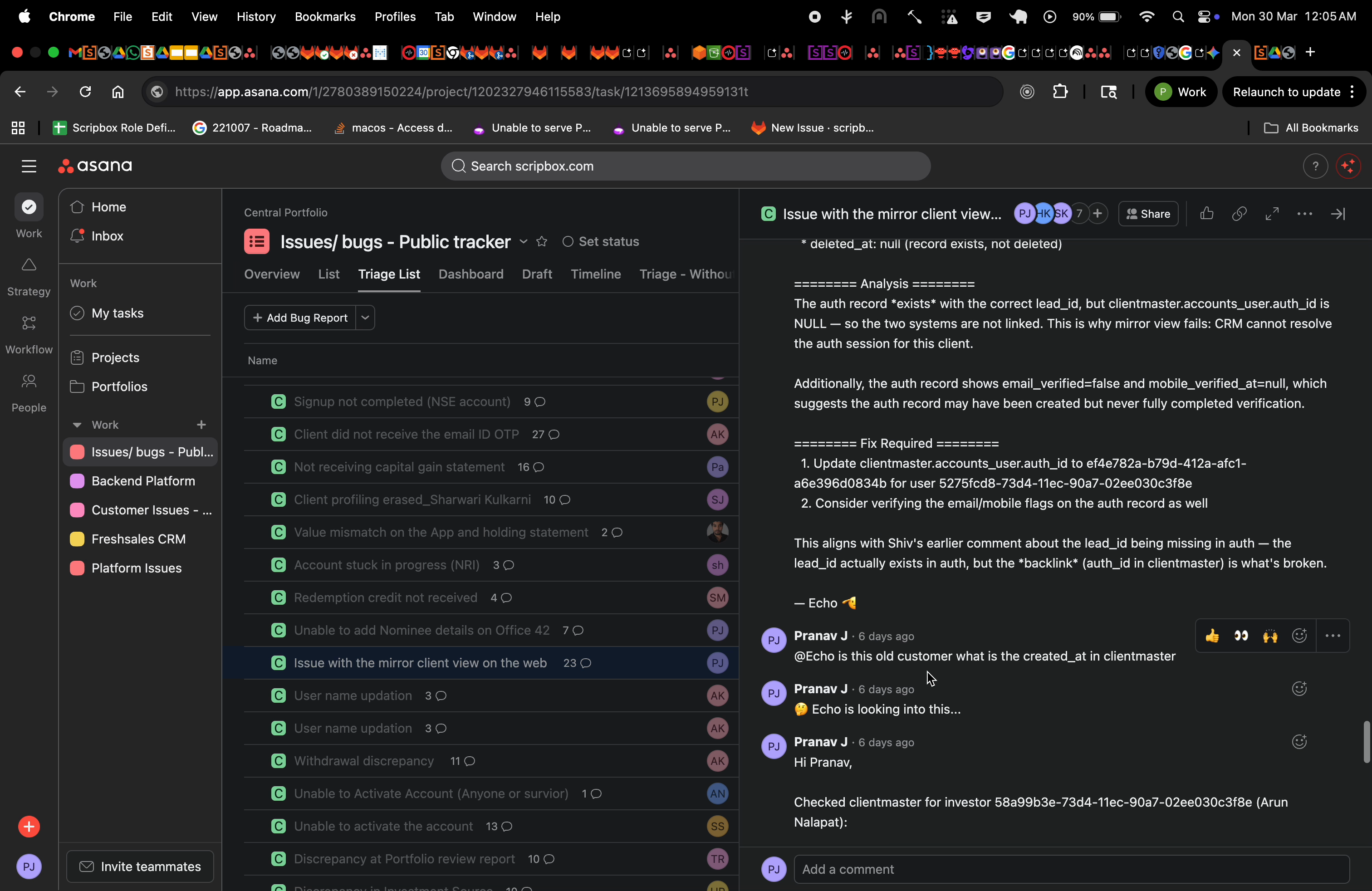
Real ticket. Real investigation.

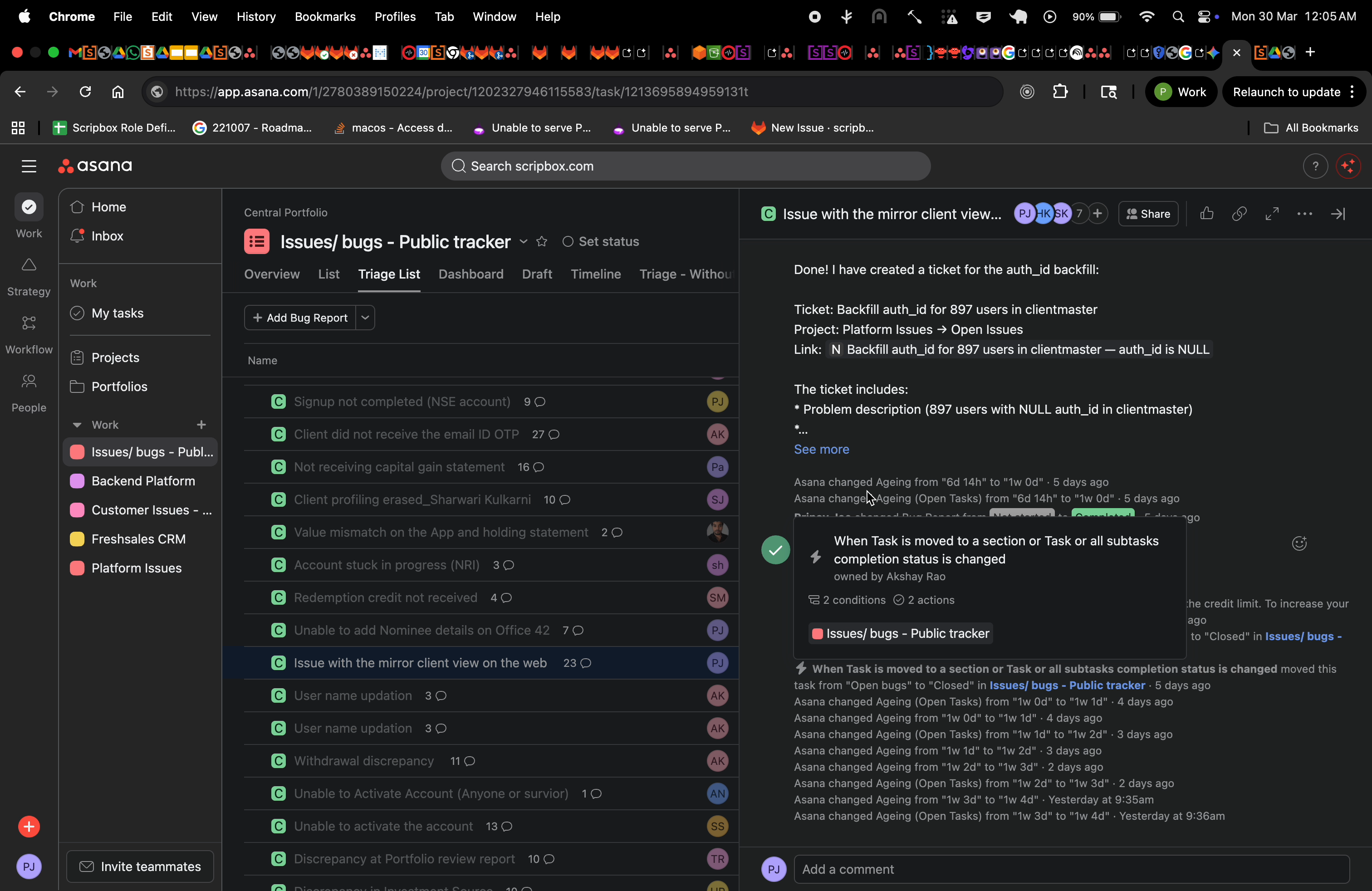
Echo investigating CRM mirror view issue

Echo found auth_id in clientmaster was NULL. But it didn't stop there…

Echo created backfill ticket for 897 users

Echo discovered 897 users had the same issue. It autonomously created a backfill ticket with the full problem description and fix instructions. That's not a chatbot. That's a teammate.

Asana screen recording

Screen recording: Echo's full conversational investigation flow

Feature 03

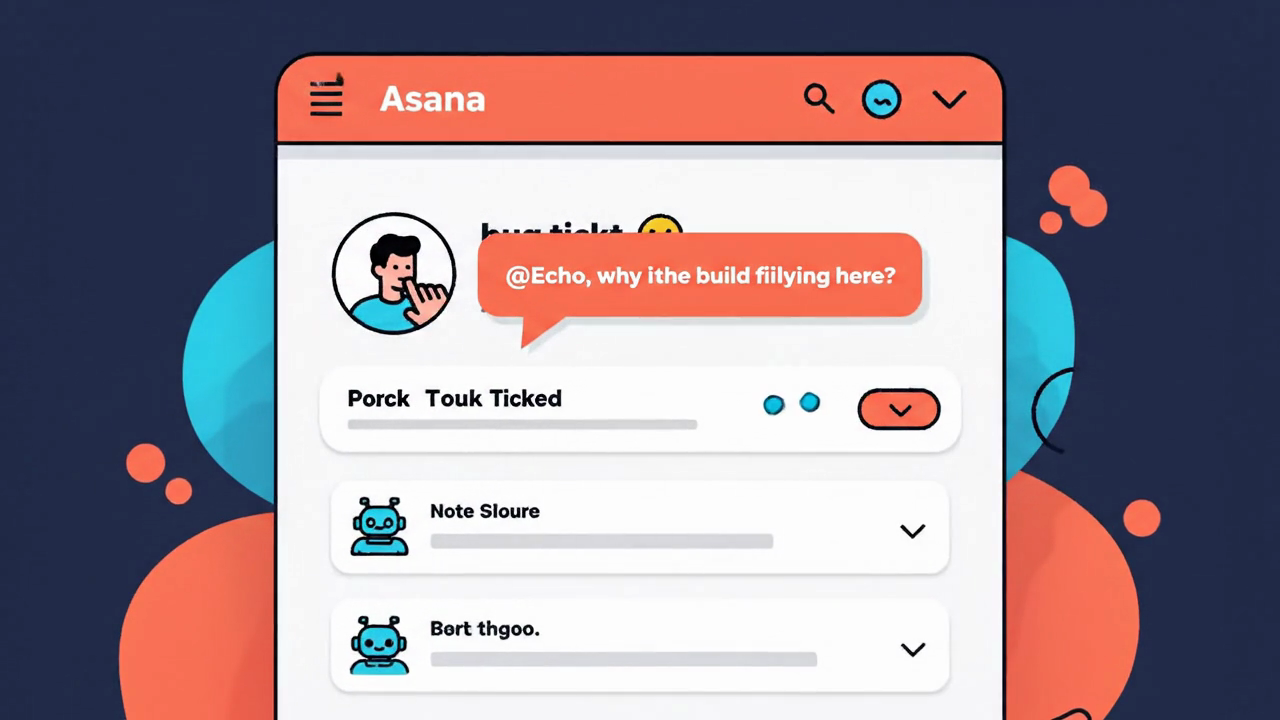
Conversational @Echo

Tag @Echo on any Asana ticket or @openclaw in Slack. It investigates across services and replies with structured analysis. Like a senior engineer on call 24/7.

  • Cross-reference errors across services
  • Query databases via Metabase
  • Check GitLab MRs and blame
  • Full root cause analysis with evidence
Echo ops dashboard

Feature 04

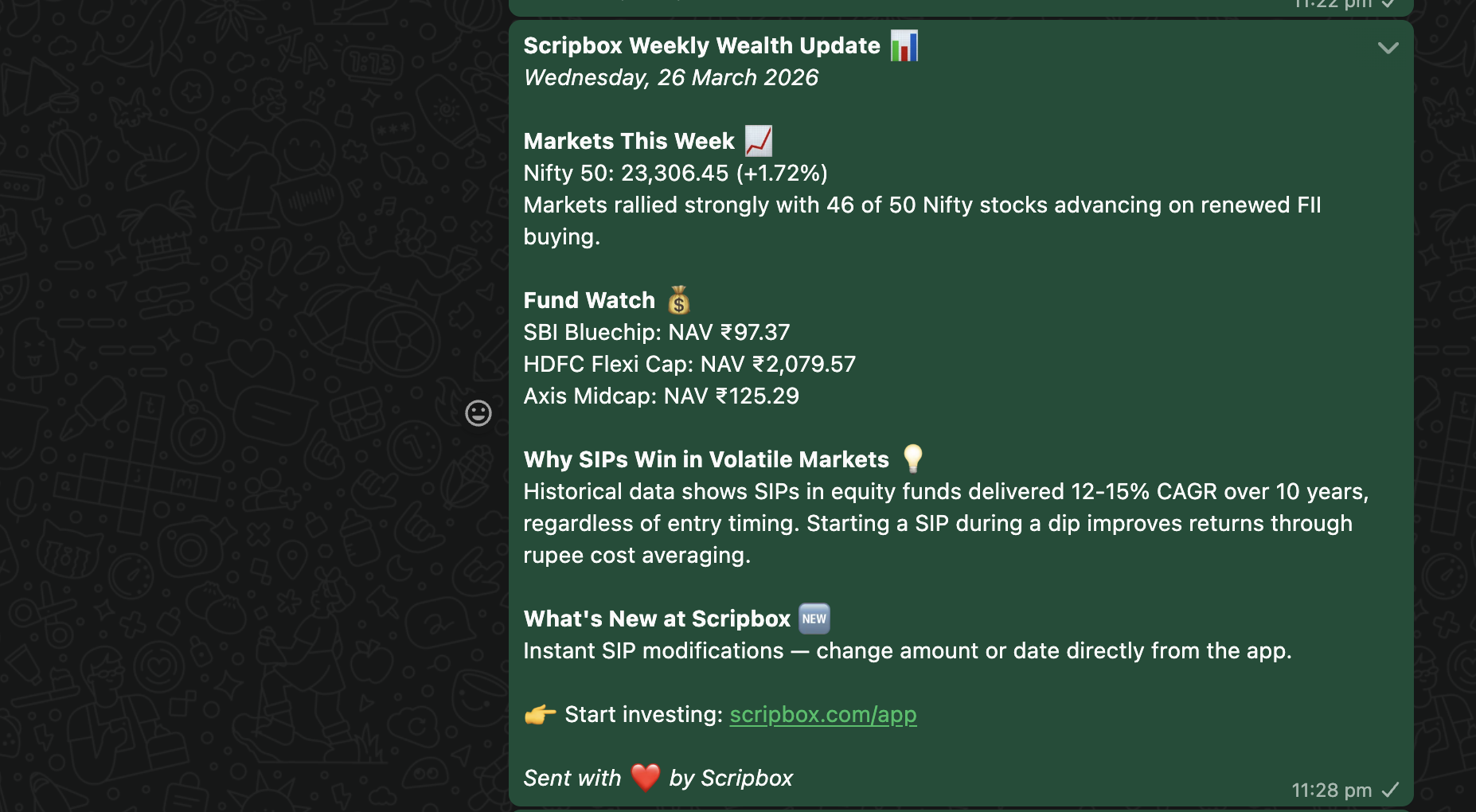
WhatsApp Newsletter

Every Monday, Echo-WA fetches live market data, formats a newsletter, and sends it to the team WhatsApp group. Nifty 50, Sensex, fund NAVs — all zero effort.

  • Live NSE India data — Nifty 50, Sensex
  • Mutual fund NAVs from mfapi.in
  • Weekly investment theme from Memory MCP
  • Deduplication — never double-sends
WhatsApp newsletter

How It Works

Error in. Analysis out.
Humans optional.

When a production error fires, this happens automatically, in seconds:

🚨
Sentry Alert
🔍
Stack Trace
📜
Graylog Logs
💻
GitLab Blame
📊
Metabase
💬
Slack Thread
Echo architecture diagram

Three agents, one gateway, all running on a single Mac Mini M4 Pro

ComponentDetails
HostMac Mini M4 Pro — 12 cores, 24GB RAM
AI ModelClaude Sonnet 4 (Anthropic API)
GatewayOpenClaw v2026.3.24
MemoryCustom MCP Server (Elixir + PostgreSQL)
SandboxPodman containers (capDrop: ALL)
ChannelsSlack (Socket Mode) + WhatsApp + Asana

Security

Every agent. Every channel.
Permission-controlled.

Strict role-based access. Zero crosstalk. The ops bot can't post in your DMs. The newsletter bot can't touch Sentry channels.

🔒 Channel-Level Access

#sentry-* → echo-ops only
#pranav-direct → main only
WhatsApp group → echo-wa only

👤 Agent-Based Rules

Bot messages → allowBots: true (Sentry)
Human messages → allowBots: false
Group → open (Slack) / allowlist (WA)

📦 Sandboxed Execution

Non-main agents run in Podman containers — isolated filesystem, dropped capabilities, bridge networking.

🔑 Token Isolation

Env vars ending in _TOKEN, _SECRET, _API_KEY blocked by default. Renamed vars only.

✓ Cross-talk blocked ✓ Privilege escalation blocked ✓ Container escape impossible

Monitoring

Seven channels. Never off.

#
clientmaster-prod-sentryclientmaster
#
auth-prod-sentryauth
#
nexus-prod-sentrynexus
#
milky-way-prod-sentrymilky-way
#
heimdall-prod-sentryheimdall
#
order-fulfillment-sentryorder-fulfillment
#
myscripbox-api-sentrymyscripbox

Automation

Five cron jobs. Zero human effort.

15 min
sentry-poll-allPoll 7 Sentry channels, analyze alerts, post interactive triage
echo-ops
15 min
asana-rca-triagerTriage new bugs — classify, analyze with 5 MCP servers, tag
echo-ops
2 min
asana-echo-responderProcess @Echo mention queue, spawn sub-agents for answers
main
weekly
kb-maintenanceKnowledge base cleanup — deduplicate, archive stale entries
echo-ops
weekly
wa-newsletterFetch market data, format newsletter, send to WhatsApp group
main

Skills

2,691 lines of playbooks.

Modular, versioned instruction sets. Not prompts — battle-tested playbooks.

sentry-review1,003 lines
Analysis → Interactive Triage → Auto-Fix MR
asana-rca-triager1,215 lines
Fetch → Classify → Multi-source analysis → Tag
wa-newsletter367 lines
Market data → Theme → Format → Send → Dedup
asana-echo-responder106 lines
Webhook queue → Sub-agent spawn → Answer posting

Phase 1: Analysis

Sentry trace + Graylog logs + GitLab blame = structured error report in Slack

Phase 1.5: Interactive Triage

Block Kit buttons (Dig Deeper / Check Data / Ignore) — polls for click, handles choice

Phase 2: Auto-Fix MR

Creates GitLab branch, writes regression test first, pushes fix MR, verifies pipeline

Shared Memory

Every decision saved to Memory MCP — Elixir + PostgreSQL with trigram search. MCPs all the way down.

Results

Before Echo vs After Echo

0 mintriage time (was 15-30m)
200+errors auto-handled daily
2,691lines of skill definitions
MetricBeforeAfter
Error triage15-30 min per errorAutomated
Bug classificationManual, inconsistentAuto-tagged
Cross-service errorsOften missedAutomatic
Newsletter30 min/weekZero effort
Morning routineFirefightingCoffee + review

Receipts

We don't need testimonials.
We have ticket history.

Real production tickets. Real engineers. Real “hold on, the AI already figured this out?” faces. No actors were hired. No bugs were harmed. (Okay, several bugs were harmed.)

Shiv triaged a sign-up failure the old-fashioned way — brain, coffee, gut feeling — and called it a backend data issue. Meanwhile, Echo was doing the exact same thing. Nobody asked it to. When Pranav opened the ticket, Echo had already posted its verdict: KYC failure, DATA ISSUE, 70% confidence. Same answer. Zero communication. Shiv and Echo just … agreed. Spooky.
Unable to complete sign up · KYC failure
Archana had a login bug — mobile number going to sign-up instead of login. She typed @Echo how do we sync the mobile number? on the Asana ticket. Plot twist: Echo had already posted an 85%-confidence deep-dive above her comment. Root cause? A ghost auth record hijacking the number. Pranav's one-line review: “the above analysis from AI is really good.” Archana just forwarded the AI's homework to the team. Meeting cancelled.
Login via mobile · auth data mismatch

Both tickets — resolved same day. Neither engineer opened Sentry, Graylog, or a database console.
Echo had already done the homework. It does that. It’s a little annoying, honestly.

The Bigger Picture

Your hackathon project?
Echo already wants to talk to it.

Expose an MCP server or a simple curl endpoint. That's it. Echo connects, orchestrates, and suddenly your standalone project is part of a unified AI ops brain. Every hackathon tool becomes a superpower Echo can invoke.

🫡 Echo
🔌Your MCP Servermcp
📊Analytics Botcurl
🤖ML Pipelinemcp
🔐Security Scannercurl
📦Deploy Toolmcp
📝Doc Generatorcurl
Yours?next
1
Expose it Ship an MCP server or a simple HTTP endpoint. If it responds to JSON, Echo can talk to it.
2
Connect it Add a tool definition or a curl call in Echo's skill file. One line. No SDK. No ceremony.
3
Forget about it Echo now invokes your tool autonomously — during triage, in Asana tickets, wherever it helps. Your project just joined the hive mind.

"We didn't build a tool. We built the last tool you'll need to wire up."